
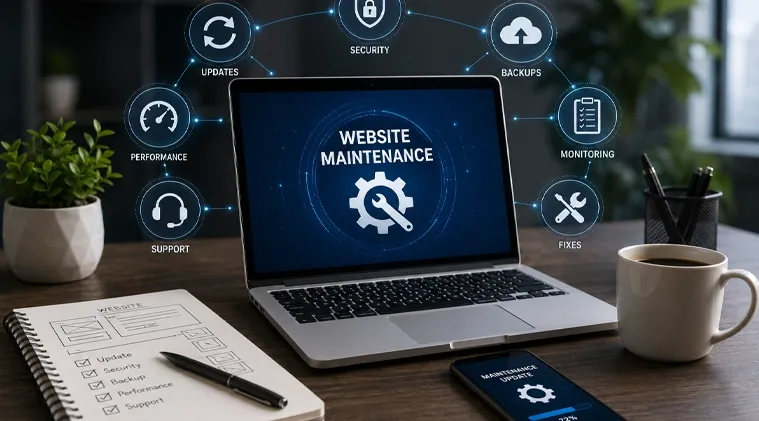
Launching a website is only the beginning. Once a site is live, it needs regular attention to remain secure, functional, fast, and useful to visitors. Links can stop working, software can become outdated, forms can fail, pages can slow down, and old content can make a business look less reliable.
Good website care addresses these issues before they become bigger problems. It covers technical updates, security checks, backups, performance reviews, content changes, and routine testing. For businesses that depend on their website for leads, sales, bookings, or customer support, ongoing care helps keep the digital side of the business running properly.
Website maintenance is the ongoing work involved in keeping a website functional, secure, updated, and relevant. It can include technical updates, security checks, backups, broken-link checks, performance testing, content changes, and troubleshooting.
The exact work depends on the website. A small company website may need routine WordPress updates, backups, security monitoring, and content changes. An eCommerce website may require more frequent testing because product pages, payment systems, checkout processes, customer accounts, and third-party integrations must work together.
Website Maintenance Service is therefore more than fixing a website after something breaks. A good approach looks for potential problems before visitors notice them.
A maintenance routine should cover the parts of a website that can affect security, usability, performance, and business operations.
Content management systems, plugins, themes, libraries, and other software receive updates for different reasons. Some add features, while others fix bugs or security weaknesses.
Updates should be applied carefully rather than automatically without testing. On a WordPress website, for example, an update to one plugin can sometimes conflict with another component. A backup and basic functionality check before and after major changes reduces the risk of disruption.
Website security maintenance helps identify vulnerabilities, suspicious activity, malware, weak access controls, and outdated software. SSL certificates, administrator accounts, passwords, plugins, themes, and security settings should also be reviewed regularly.
Security work should be treated as an ongoing process. Installing a security plugin once does not remove the need for updates, monitoring, backups, and sensible access controls.
A recent backup gives you a way to restore a website if an update fails, files become corrupted, or the website is compromised.
A useful backup strategy should cover both website files and databases where applicable. Backups should also be stored separately from the live website when possible. Having a backup that cannot be restored when needed offers little practical protection.
Small technical errors can create a poor experience for visitors. Maintenance checks should look for broken internal links, missing images, incorrect redirects, error pages, and forms that no longer work.
Important business functions deserve extra attention. If a website receives enquiries through a contact form, for example, the form should be tested to make sure submissions reach the correct inbox or system.
A website can become slower as new images, scripts, plugins, tracking tools, and other features are added. Regular performance checks can reveal pages that need attention.
Common areas to review include image sizes, caching, unnecessary scripts, database performance, hosting resources, mobile loading, and third-party integrations. Improving website performance is usually easier when problems are identified early instead of waiting until visitors start complaining.
Website content can become outdated even when the technology continues to work correctly.
Business owners should review important information such as services, contact details, operating hours, team information, product details, legal pages, and calls to action. Older blog posts may also need updates when facts, links, screenshots, or recommendations are no longer accurate.
Keeping content current supports both visitors and search engines, but content should be updated because it remains useful, accurate, and relevant, not simply to create the appearance of activity.
A website represents your business at any hour. Visitors may discover it through search, social media, referrals, advertisements, or a direct link. If they encounter a broken page, outdated information, slow loading, or a security warning, their impression of the business can suffer.
The importance of website maintenance comes from several practical areas:
Ignoring routine maintenance rarely means that a website stops working immediately. Problems often develop gradually.
A plugin may become outdated. A form may stop sending enquiries. A page may return an error. A security update may be missed. Website performance may decline as more files and scripts are added. Old administrator accounts may remain active long after people stop working with the business.
The risks of not maintaining a website can include:
The biggest problem is often that website owners do not discover an issue until a visitor does.
A reliable maintenance process should be repeatable. Instead of making random changes whenever something goes wrong, divide maintenance into clear stages.
Start with a backup and review the current website condition. Check software versions, security alerts, uptime, important pages, forms, links, and performance. Apply necessary updates in a controlled environment where possible, then test the website after changes are made.
Keep a record of significant changes. This makes troubleshooting easier when an update creates an unexpected issue.
For business websites, it is also useful to identify the pages and functions that matter most. A service page, enquiry form, booking system, product catalogue, or checkout should receive more attention than a rarely visited page.
Good maintenance is about consistency and control rather than making changes for the sake of making changes.
Different tasks need different review periods. Security monitoring may need frequent attention, while content reviews can happen less often. Major design and structural reviews may be appropriate when business goals or customer needs change.
A simple schedule prevents important tasks from being forgotten.
A major software update should not be treated like a routine content edit. Take a backup, check compatibility, make the change carefully, and test important functions afterward.
For WordPress websites, this is particularly useful because themes and plugins come from different developers and may interact in unexpected ways.
Website monitoring tools can check availability, response times, SSL status, and other technical conditions. Monitoring does not replace human review, but it can provide an early warning when something changes.
Remove unnecessary administrator accounts and review user permissions from time to time. Use strong passwords and multi-factor authentication where available.
A website can be technically updated and still have avoidable security weaknesses if old accounts or excessive permissions are left unattended.
Record major updates, configuration changes, migrations, and fixes. This creates a useful history for troubleshooting and helps another developer understand what has already been changed.
Some maintenance problems come from doing too little. Others come from making changes without a proper process.
One common mistake is updating everything at once without a recent backup. If something breaks, identifying the cause becomes harder.
Another is focusing only on software while ignoring content and functionality. A website can have the latest plugin versions and still contain broken forms, outdated contact details, or confusing navigation.
A third mistake is assuming that backups are working simply because a backup system is installed. Restoration should be checked periodically.
Finally, many businesses wait until there is a serious problem before seeking help. Reactive repairs can take more time because several issues may have accumulated together.
Your website may need attention if visitors or staff are reporting technical issues, but there are other warning signs as well.
Look for pages that load noticeably slower than before, outdated plugins or themes, broken links, unexpected redirects, security warnings, missing images, form delivery problems, unexplained downtime, or content that no longer reflects the business.
A decline in performance does not always mean the website needs a complete redesign. Sometimes a technical review and targeted maintenance can identify the actual cause.
Website maintenance and website management are closely related, but they are not identical.
Maintenance focuses mainly on keeping the website technically healthy. It includes updates, backups, security checks, bug fixes, performance reviews, and routine testing.
Website management is broader. It may include content publishing, user administration, analytics, SEO coordination, hosting management, marketing integrations, and ongoing business-related website decisions.
In practice, the two areas often overlap. A business may use one team to handle both, particularly when the website plays a major role in day-to-day operations.
Website support usually refers to help with specific questions, requests, or technical problems. For example, a business owner may contact a developer because a form has stopped working or a page needs a small change.
Maintenance is more proactive. It involves scheduled checks and ongoing technical care designed to keep the website working properly.
A strong support arrangement can include both. The right approach depends on how often the website changes, how important it is to the business, and whether the internal team has the technical skills to handle routine tasks.
WordPress websites need particular attention because their functionality often depends on the interaction between the WordPress core, themes, plugins, hosting environment, and custom code.
A sensible maintenance routine should include:
A WordPress maintenance guide should always account for the individual website. There is no single update routine that is appropriate for every installation.
Maintenance should improve the website rather than introduce unnecessary risk.
Before making significant changes, understand what the change is intended to solve. Create a backup, check compatibility, and make changes in a controlled way. Afterward, test the pages and functions that matter to visitors.
It is also worth separating routine maintenance from larger improvement projects. Updating a plugin is maintenance. Rebuilding an entire navigation system is a development project. Keeping those activities separate makes planning easier and reduces the chance of making too many changes at once.
For businesses without an internal technical team, professional support can provide a more consistent way to handle these responsibilities. Pushpendra and the team at Pushpendra.net have experience with website development, WordPress, security, performance optimization, and ongoing website maintenance. Their website lists website maintenance as part of their core technical services.
Website maintenance is the regular work needed to keep a website secure, updated, functional, and useful. It can include software updates, backups, security checks, bug fixes, content changes, performance checks, and technical support.
Most active websites should receive regular checks at least monthly. Websites with frequent updates, ecommerce features, high traffic, or important business functions may need more frequent monitoring.
Website maintenance pricing depends on the website's technology, size, complexity, update frequency, security needs, and support requirements. A simple business website usually needs less maintenance than a complex ecommerce website or web application. A website review can help determine the appropriate cost.
Not necessarily. Some websites need monthly support, while others may only require occasional maintenance. Monthly maintenance is useful when you want regular updates, backups, security checks, troubleshooting, and technical support.
Yes. WordPress website maintenance services can include WordPress core updates, theme and plugin updates, security checks, backups, performance checks, troubleshooting, content updates, and WooCommerce support.
Yes. Ecommerce website maintenance services can include store updates, product changes, checkout testing, payment gateway troubleshooting, WooCommerce maintenance, security checks, performance work, and fixing website functionality.
Yes. An existing website can be reviewed before maintenance begins. This helps identify its technology, current condition, access requirements, potential risks, and the work needed for ongoing support.
Your website should continue working for your business after launch. If your website needs regular updates, security checks, performance improvements, content changes, troubleshooting, or ongoing technical support, we can help you choose a maintenance approach that fits your requirements.
Contact Pushpendra today for a website maintenance review and a practical maintenance plan.
Copyright © 2026. All Rights Reserved.